Chapter 1 — Python fundamentals
On this chapter
- What Is Python & How It Works
- Installing Python
- Comments &
print() - Variables (coming soon)
- User
input()(coming soon) - Python Data Types (coming soon)
1. What Is Python & How It Works
Different kind of languages are available there right?
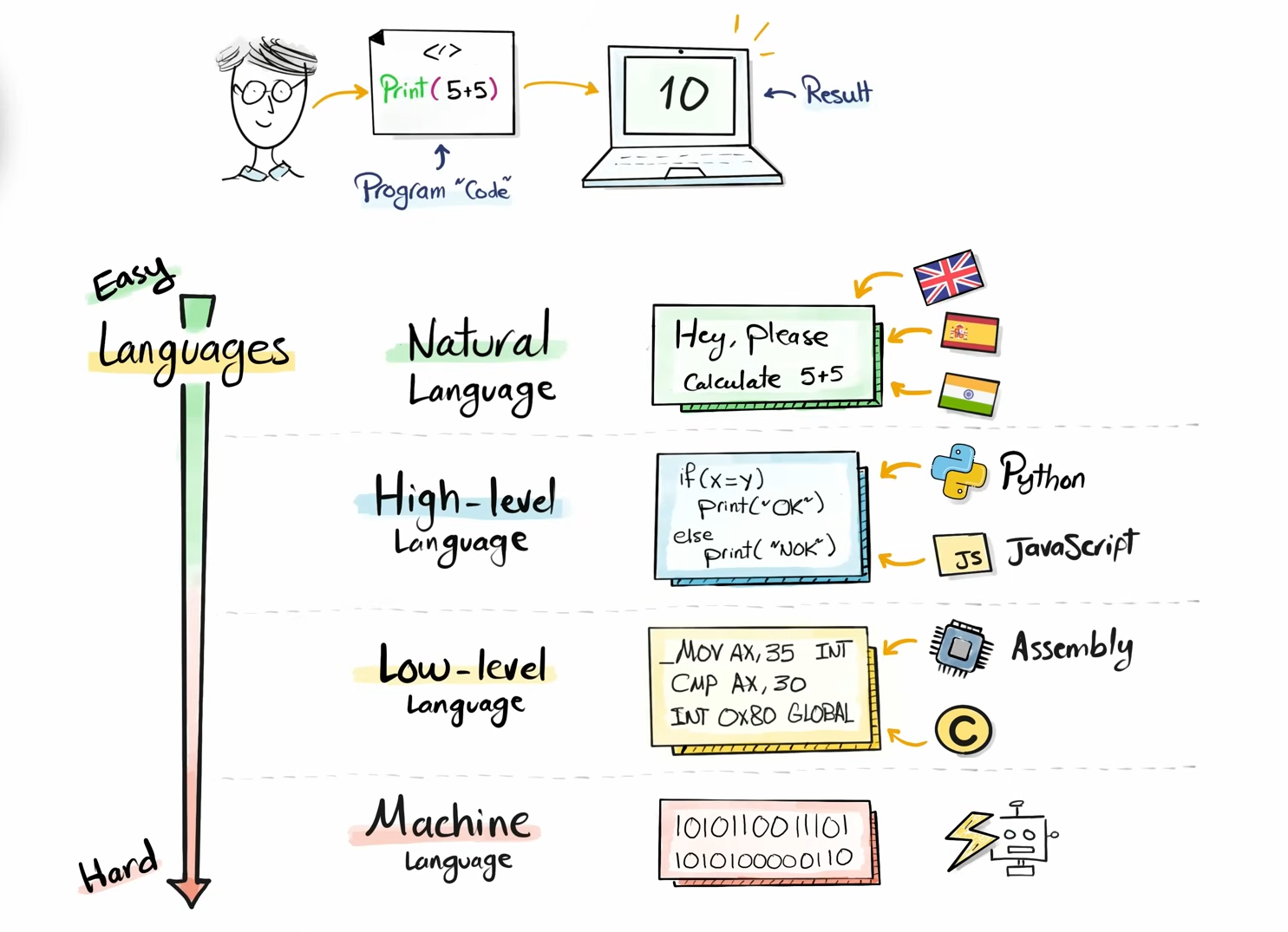
Now comes to the next question that how python actually works:
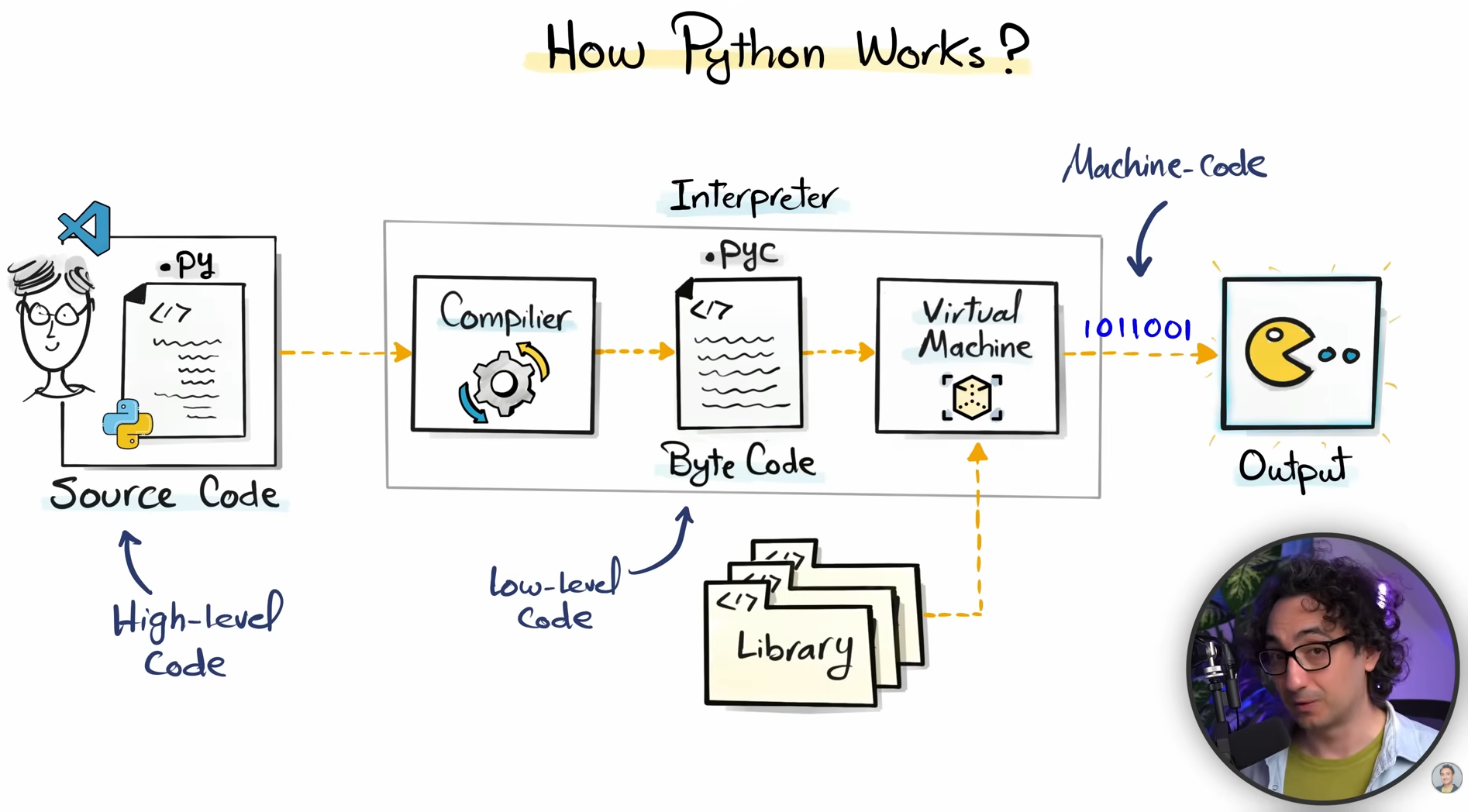
Python is a high level language. High level languages are those that are easily readable and understandable by humans but not machines. Python, JavaScript, ruby are high level languages. So, we write code in high level language then our code is grabbed by python interpreter then it produces beautiful outputs. Now here is one catch, the python interpreter is not one single thing, it includes three process — i) python compiler ii) python byte code iii) python virtual machines and also some libraries. Our high level code goes to the compiler, compiler compiles our code into python byte code then the byte code is further transformed into machine code which is 0 and 1 by the python virtual machine. And then we get the final output.
Here is a clear flow:
2. Installing Python
Go to python.org and just install python on your system, then check the version. If you are on windows then open terminal and type
python --versionand if you are on Linux then open terminal and typepython3 --version.
We have to install another thing that is python extension that is built by Microsoft in the vs code extension store.
Click on Extension symbol on vs code, then search python and install. simple
3. Comments & print()
Now, we will write our first program. Create a file called code.py.
Write your first code:
print("Hellow Python!")Now we will do another thing, we will set a shortcut in vs code to run our code.
-
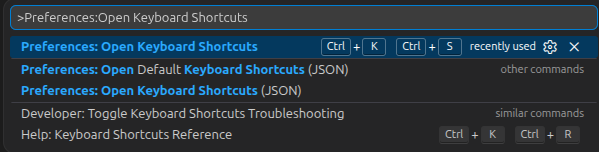
press ctrl+shift+p
-
type → Preferences: Open Keyboard Shortcuts
-
Hit Enter
-
then you see, another box Opened there type → Python: Run Python File

-
Then Keybinding set: set ctrl+R and you just write your first python code and also set your first custom vs code key binding shortcut :)
Now we will talk about comments in python:
A comment in programming is the notes or description or paragraphs or thoughts of the programmers written in plain simple English and completely avoided and ignored by the programming language.
print("Heloow this will be displayed")

# But this is a comment, and this will not be shown in terminal as output. This line will be completely ignored.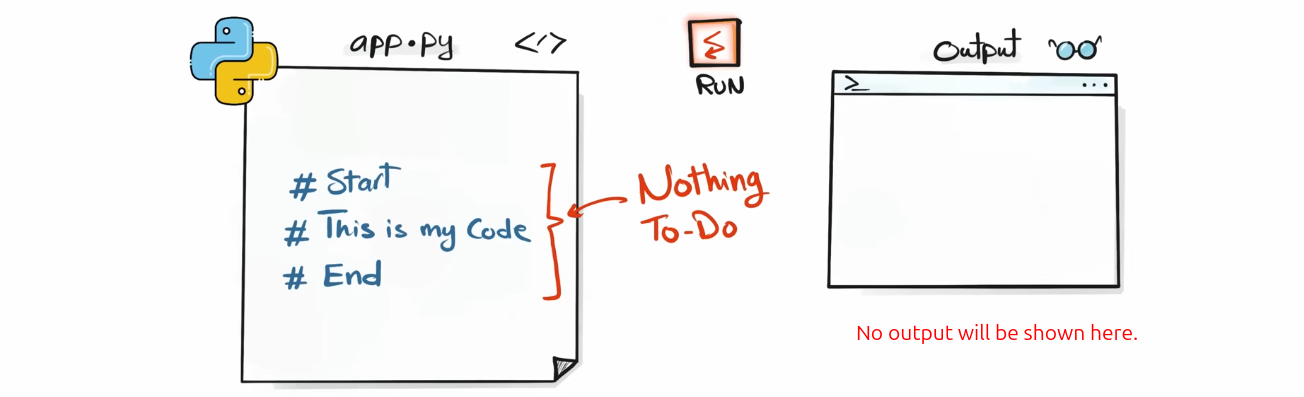
Importance of Comment:
Suppose there are a 3 years old of your own project you are opening today and you are not understanding any line of code properly. But think, if there is comments to explain that what does each line or block of code does then it can be very helpful even if you open the code base after 10 or 15 years.
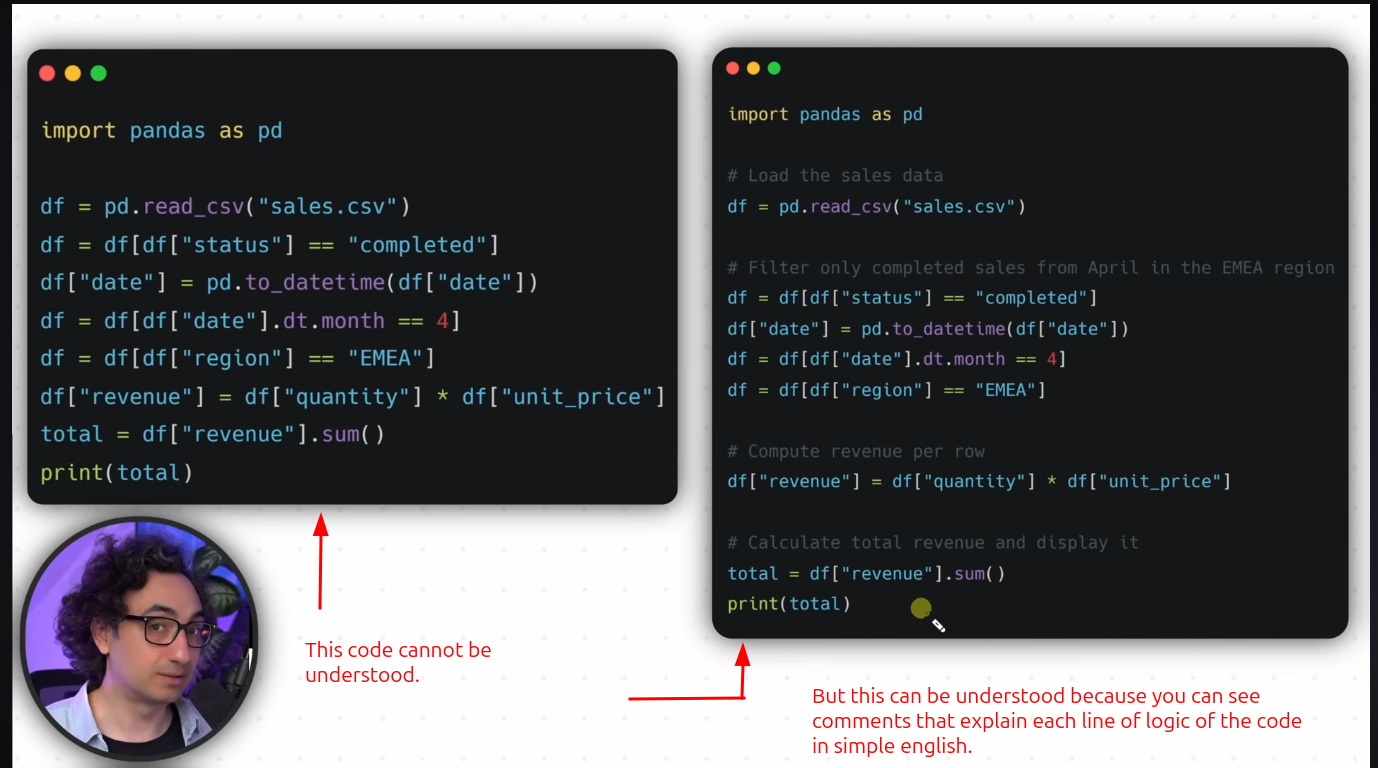
print("hellow world") # This is inline comment. we call it inline because we use it in the same line of the code to describe the line of code.Python skips comments. Comments are like notes for programmer.
Here is a very short glimpse of function:
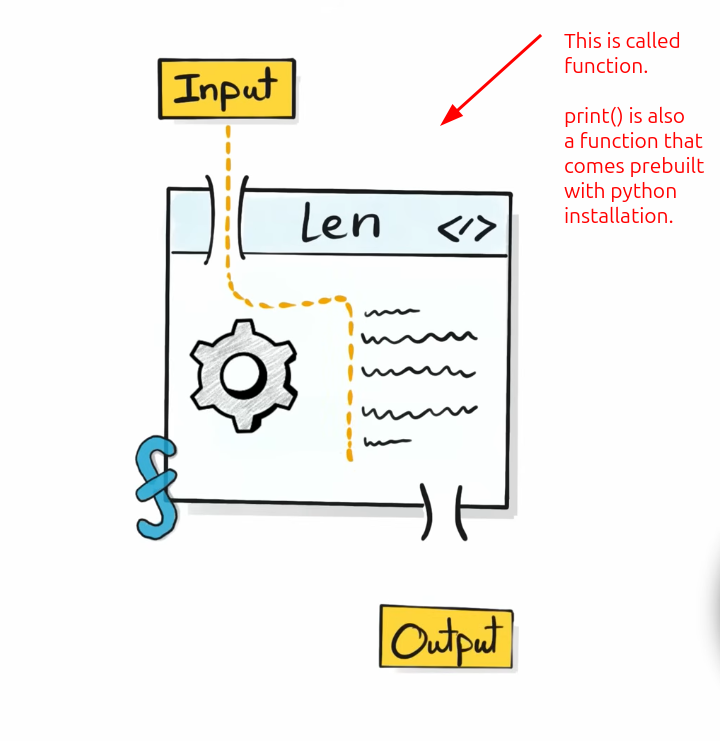
It is like a machine where you will give an input and get an output. That is it. You do not even know what happens behind the scene but you will get just your output on the basis of your input.
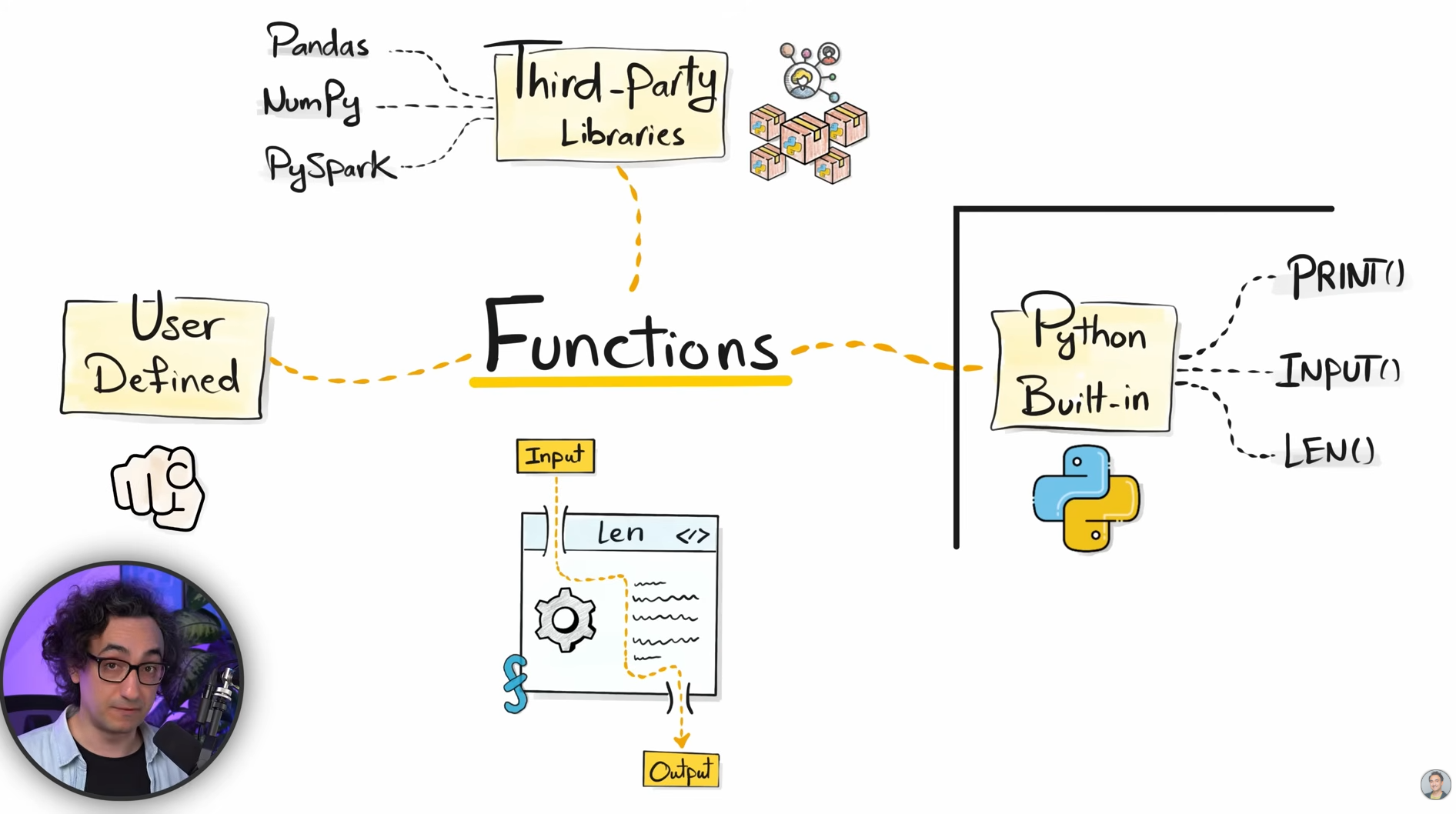
There are three kind of function;
- Built in functions like
print(),input()and many more that are built by python maintainer comes with python installation - There are third party functions that comes with third party libraries like numpy, pandas, scipy and many more.
- And the third is "user defined function" — This is the function that is created by users and developers in their daily life of coding and development.
Escape Sequence in Python
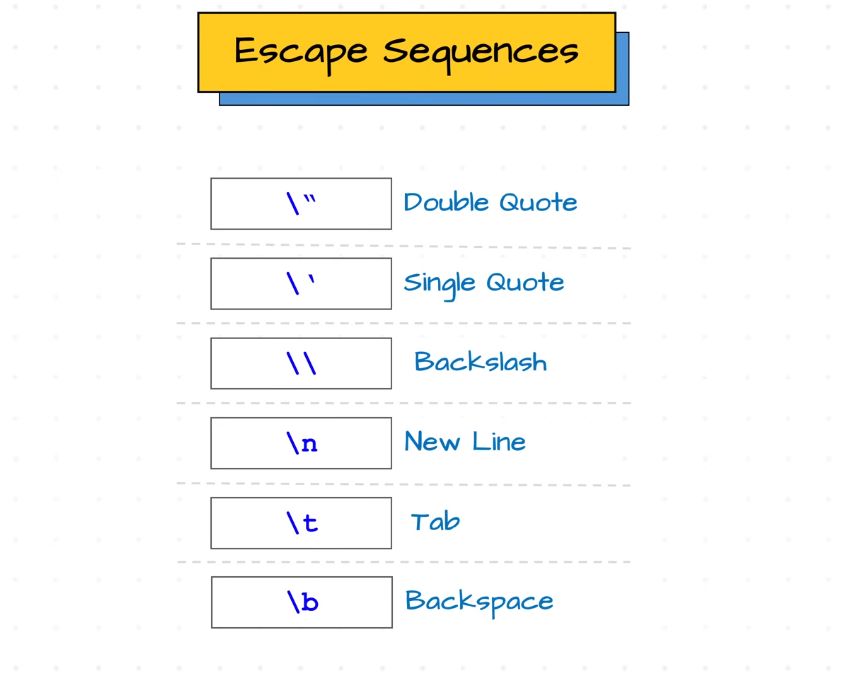
We can use double quote in python with print statement but with the use of backslash (\).
print("Hellow here we will introduce double quote with the use of \\ and now here we start \"This messege is under double quote using backslash\" .")And here is the output:

Here is the use of single quote:
print("See the use of single quote \'see the use of single quote\'")